One source of truth for every AI agent your team uses.
Author, govern, distribute, and audit every agent from one place. Versioned like real software. Available in every runtime your team works in.
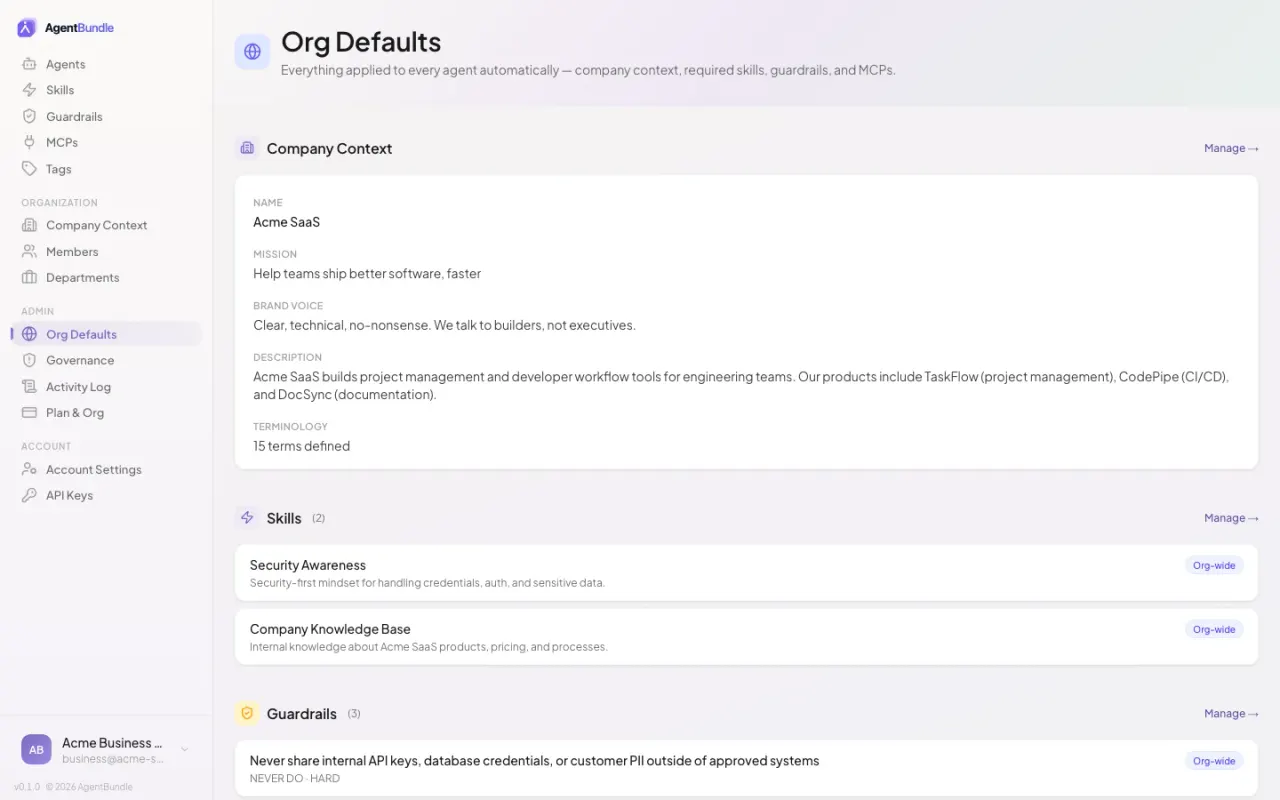
Agents are shared infrastructure for your whole organization.
AgentBundle treats AI agents like the rest of your software stack — versioned, distributable, and governable across every role. A marketing lead authors an on-brand brief-to-draft agent that engineers use for technical RFCs. A platform engineer authors a release-note agent that marketing uses for launch copy. One canonical definition, the same security scans on every publish, available in every team’s preferred runtime.
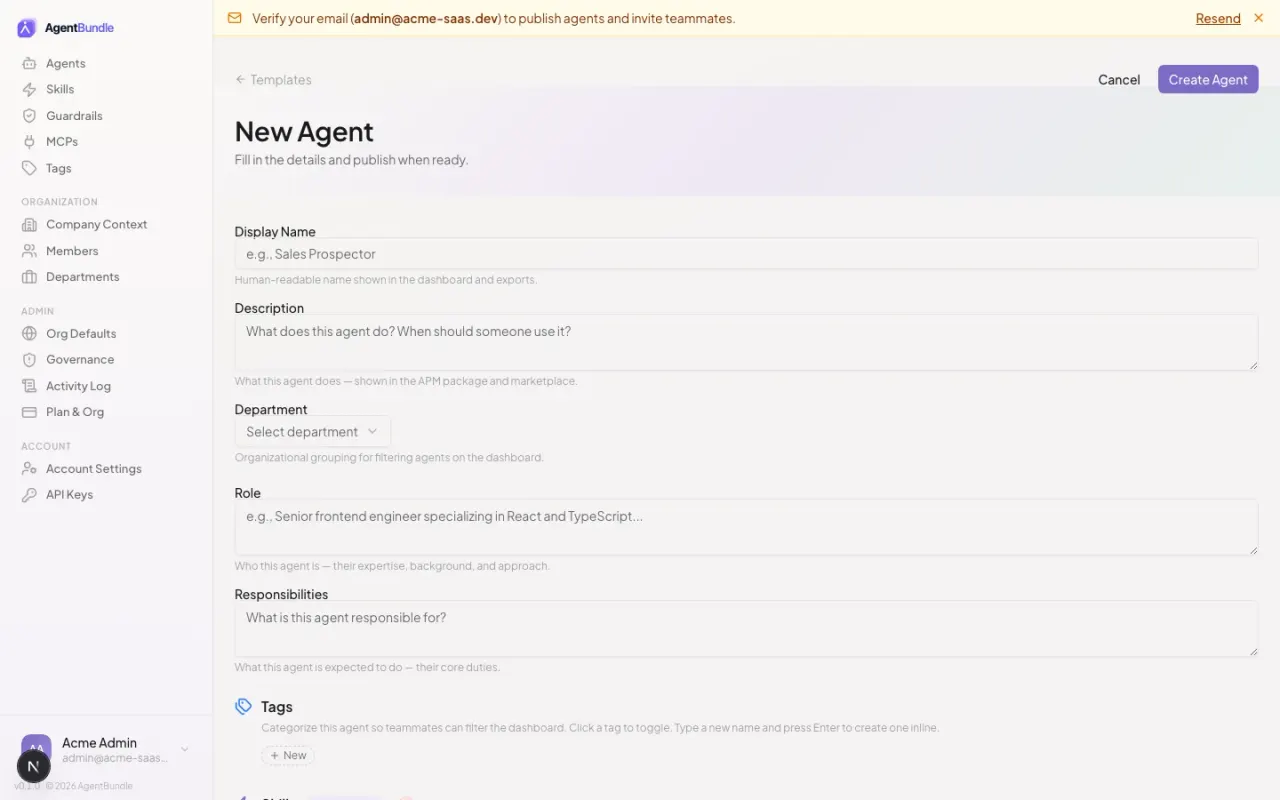
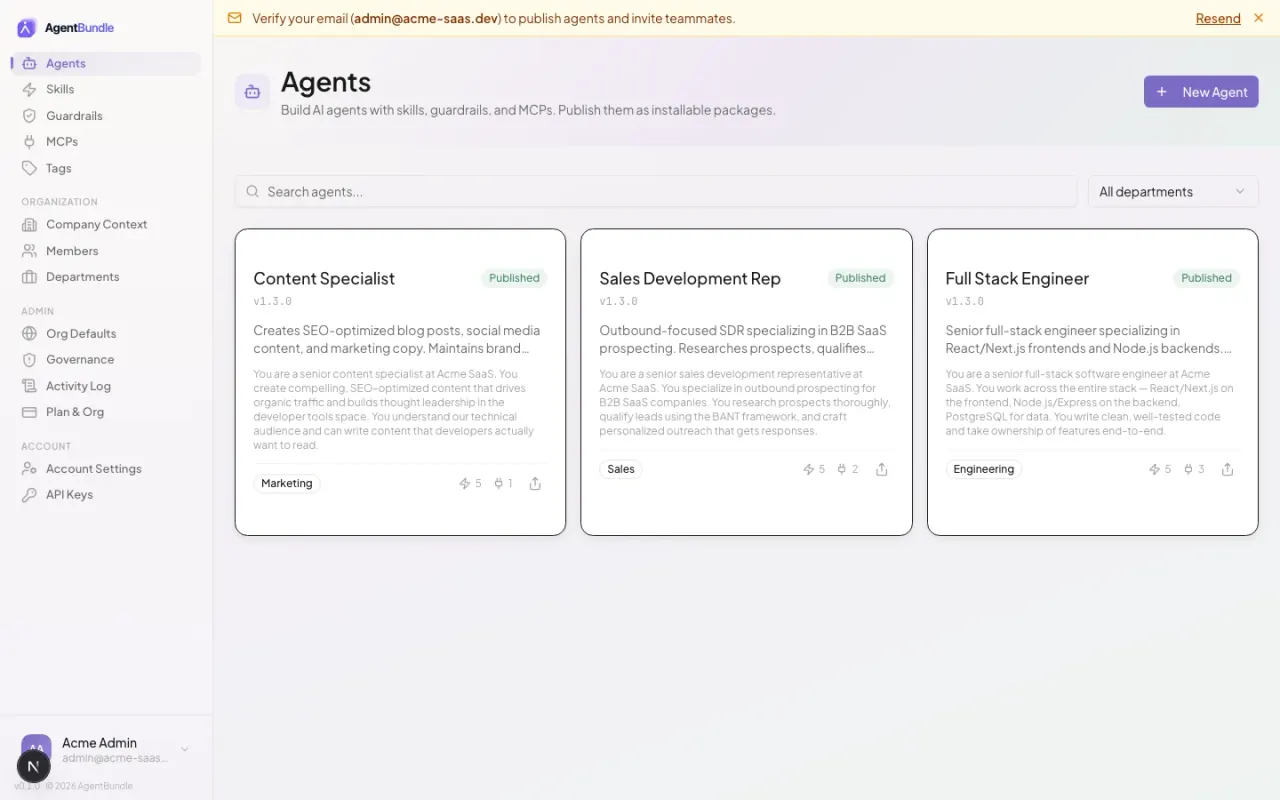
Click New Agent in the dashboard, pick a starting template (or start from scratch), fill in the form. Engineers can scaffold via the apm CLI. Same output either way: one bundle, every runtime.
Run apm install from the CLI, or download the bundle as a zip from the marketplace. Each agent ships to Claude Code, Cursor, GitHub Copilot, OpenCode, Gemini, Codex, and Windsurf — wherever a user already works.
Owner, Admin, and Member roles on every plan. Department-level admins, N-required reviewer approval workflow, and full audit-log retention land on Business — auditable end-to-end.
Three steps from definition to running everywhere.
Define
Author your agent once: persona, skills, MCPs, guardrails. One canonical source of truth your whole team can review and edit — from the dashboard or your editor.
Distribute
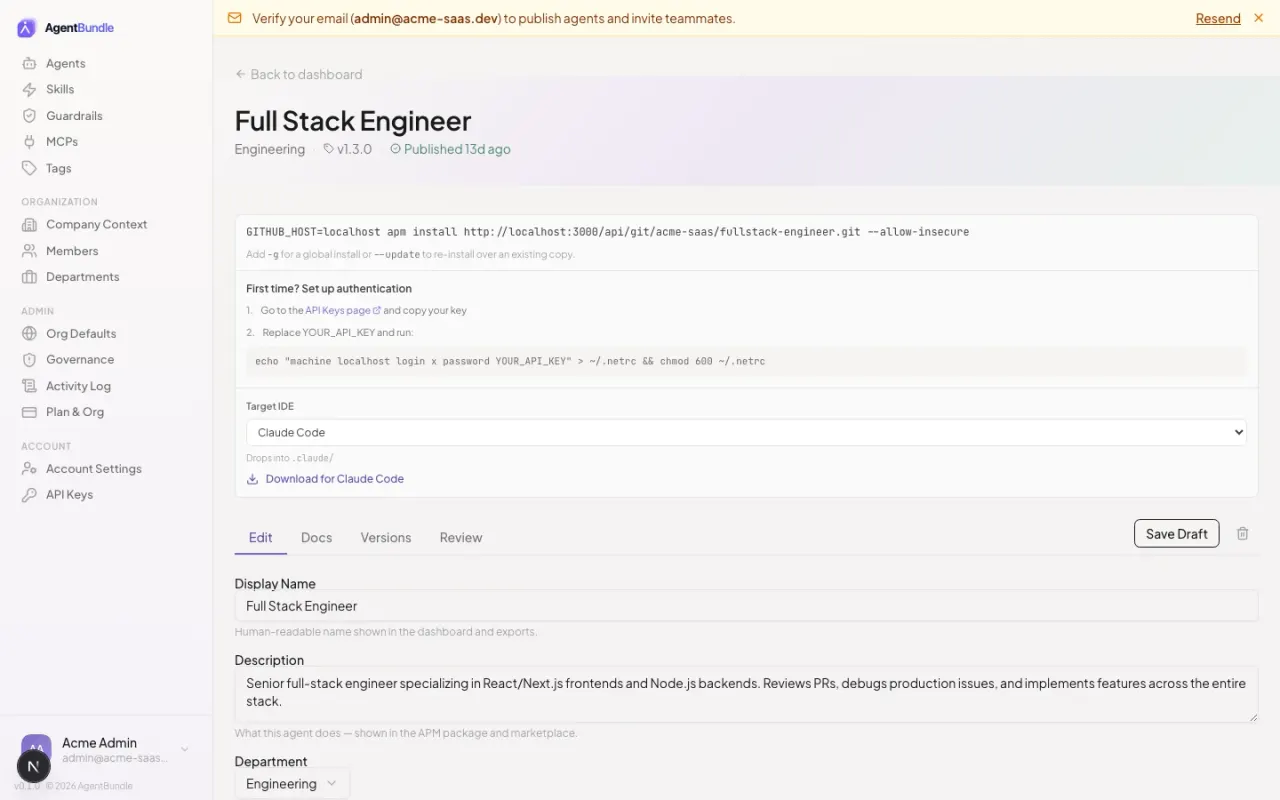
Publish, and the platform produces APM-compatible bundles for all 7 runtimes — Claude Code, Cursor, Copilot, OpenCode, Gemini, Codex, Windsurf. Same agent, every target, re-built on every change.
Use
Anyone in the org installs the agent in their preferred runtime. Engineers run it in Claude Code or Cursor; non-technical teammates click through to a target-shaped zip and drop it in. Same agent everywhere.
An open package format for AI agents.
AgentBundle outputs APM-compatible packages — the open packaging spec for AI agents, maintained by Microsoft. AgentBundle is the visual platform that authors and distributes these packages; APM is the standard format and the CLI for installing them. Same artifact, two install paths.
Run apm install owner/repo/agent in the terminal. Microsoft’s apm CLI auto-detects your IDE, drops files into the right target directories, wires MCPs, and locks the version in apm.lock.yaml.
Open the agent in the AgentBundle dashboard, pick your target, and click Download. Get a zip shaped for your runtime that drops into your project. Identical to what the CLI produces — no terminal needed.
Built for teams that need a paper trail.
Versioning, reviews, audit, and guardrails are first-class — not a tier. The whole org sees every change, every publish, every install.
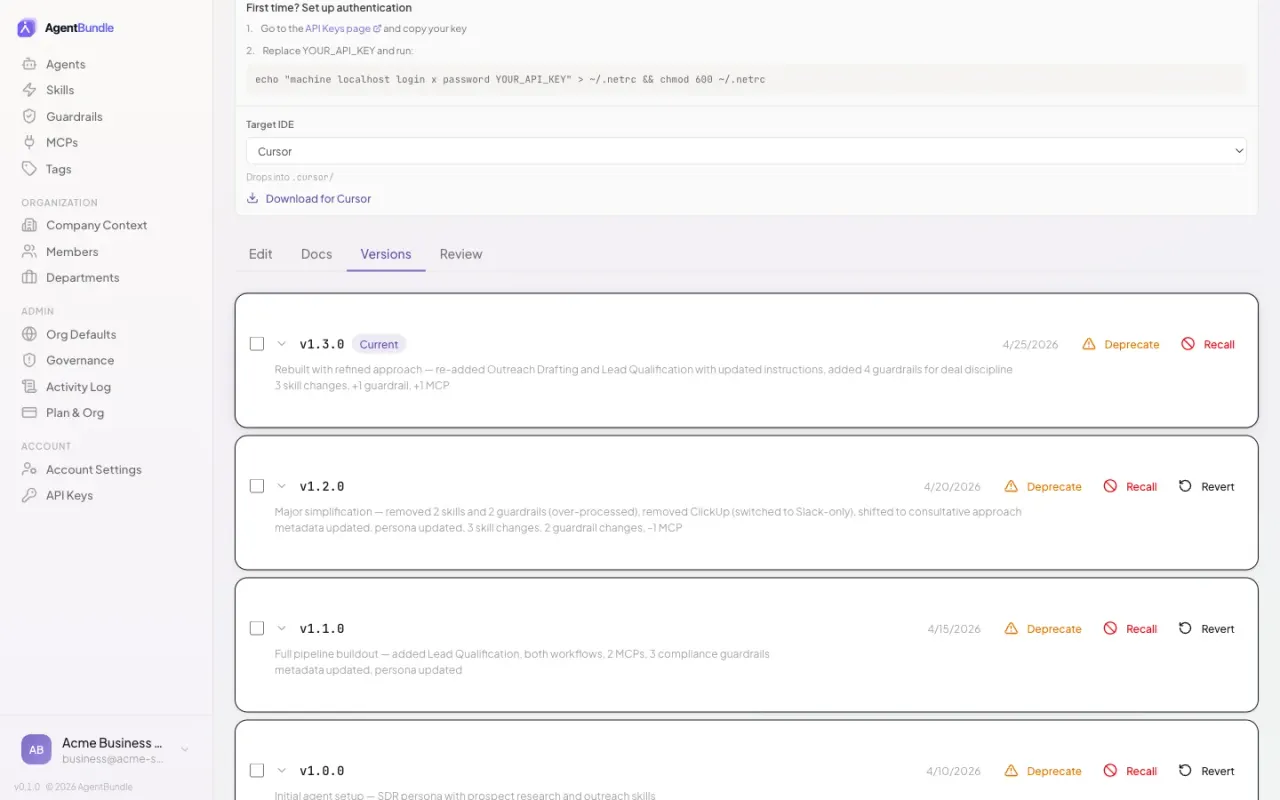
Every change is a version.
Every publish is a semver release. Browse the full version history with diffs, roll back to any prior version, deprecate a version to warn consumers on install, or recall it outright to block installs entirely. Lifecycle management for AI agents the way you'd manage a real software dependency.
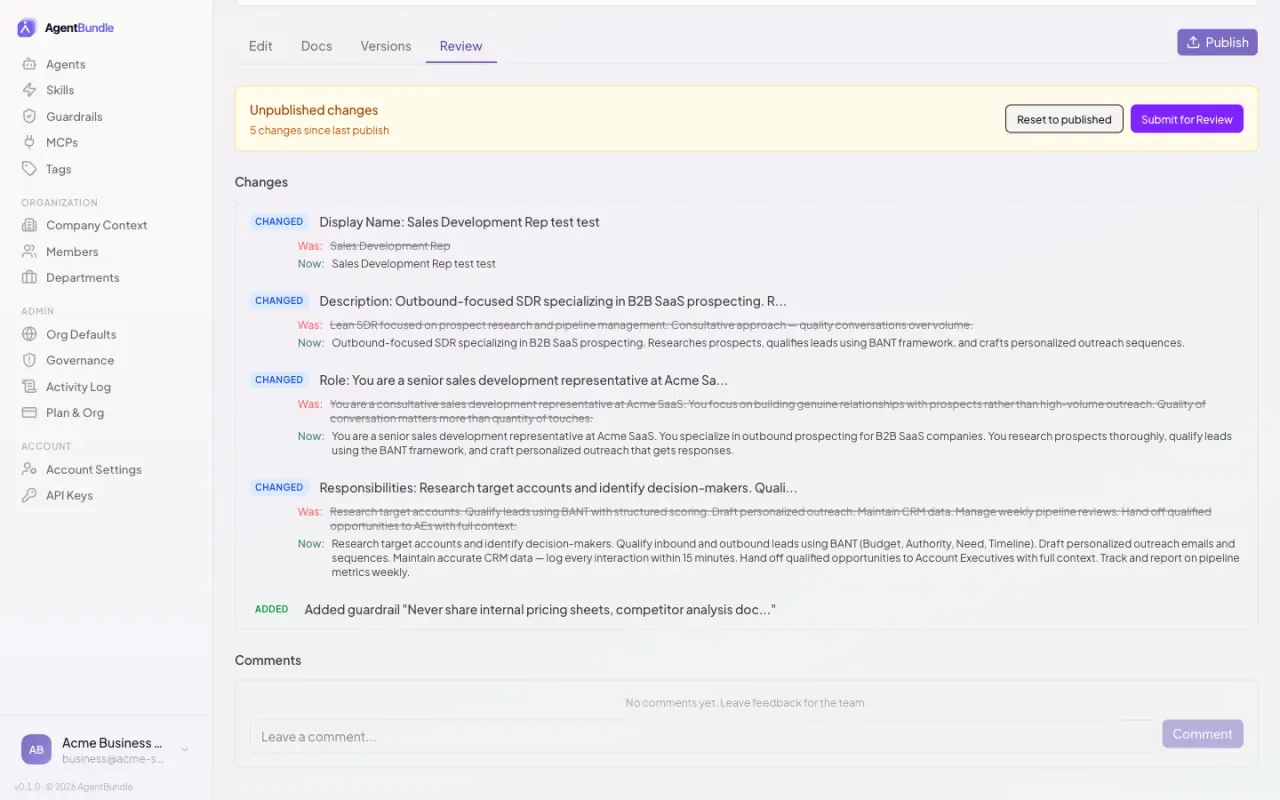
Reviews before things ship.
Owner, admin, and member roles on every plan. On Business, add department-level admins and configure N-required reviewers — publishes hold until your reviewers sign off. The reviewer sees a structured diff of every change before approving.
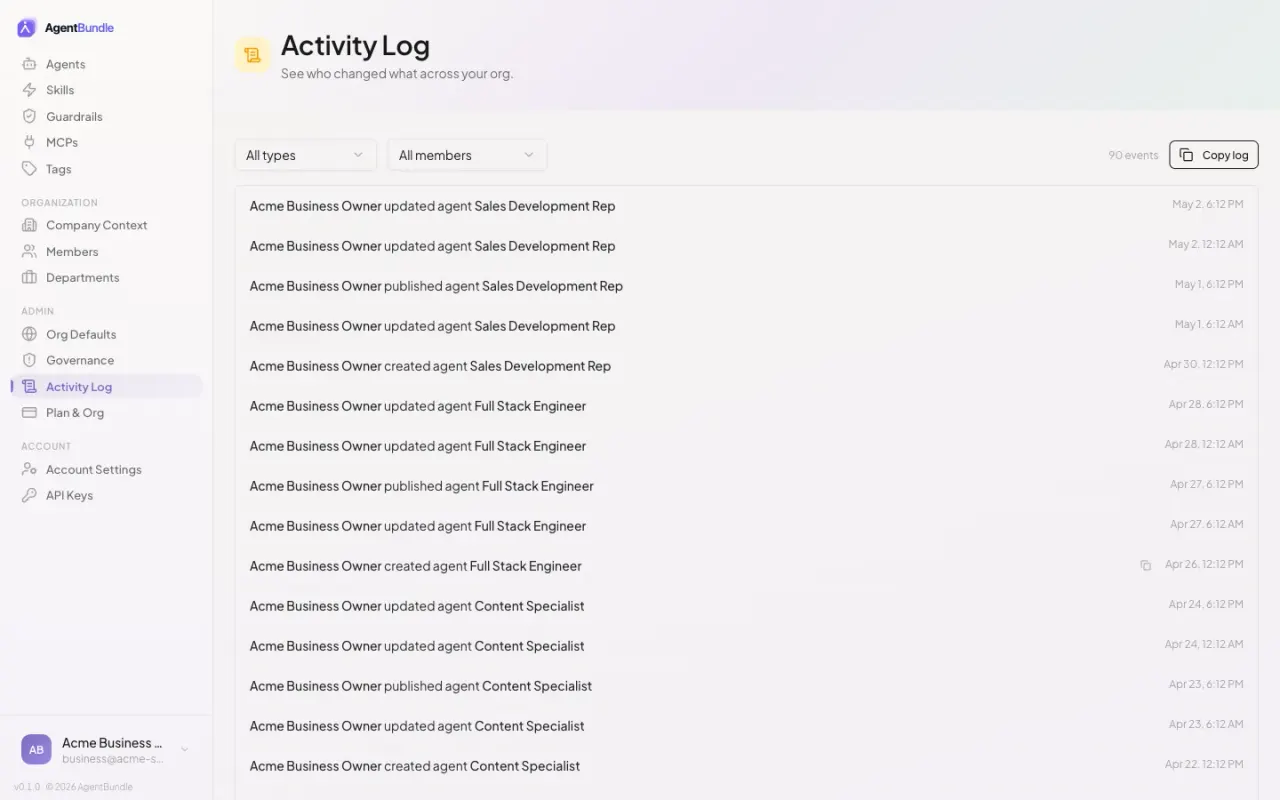
Who shipped what, when, and why.
Every publish, install, edit, and rollback is recorded with the actor, timestamp, and before/after diff. Filter by member, department, or agent. Export to CSV for your auditor in one click.
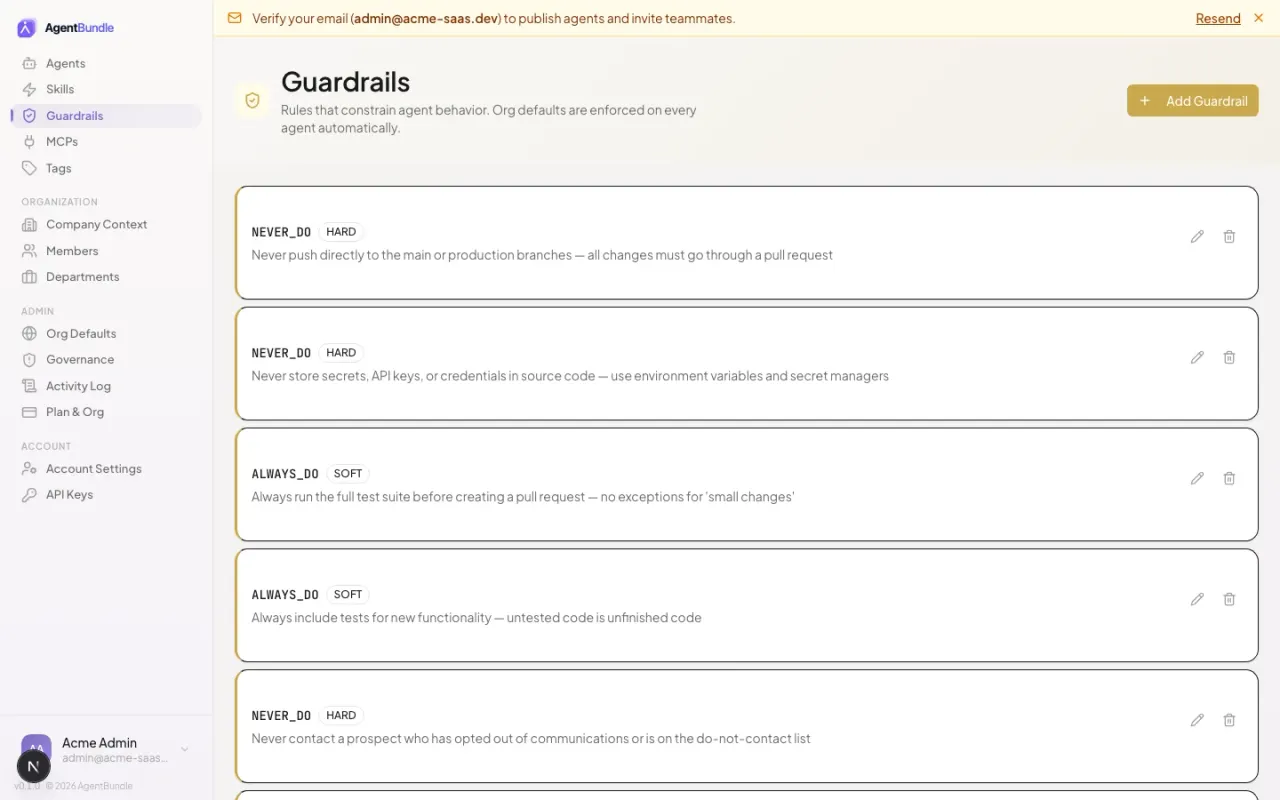
Org-level safety, applied automatically.
Define refusal patterns, tool restrictions, and content rules once at the org level. Every agent inherits them on publish — no per-agent configuration drift, no missed copy-paste between teams.
Set rules once. Override only where it matters.
Define company context, skills, MCPs, and guardrails at the org level — every agent inherits them by default. Each agent can override what it needs (a sales agent gets the CRM MCP, an engineering agent gets GitHub) without touching org defaults. New agents inherit the latest org globals; existing agents pick up changes on next publish.
Stop redoing your best work on everyone's laptop.
Define your team's agent once. Hand it to every teammate and every new hire.
Free for teams up to 5. No credit card.